29 sausio, 2026
The first major update for Guild Wars 2®: Visions of Eternity™ arrives on February 3 and will allow players to create and save Fashion Templates to easily swap between.
A New Home for Your Wardrobe
A new Fashion tab within the Hero panel will house wardrobe and gathering tool appearance choices, which means you will no longer find wardrobe or outfit selection in the Equipment tab. In the wardrobe, players can change the appearance of their armor, outfits, backpacks, and weapons.
As players of our own game, we’re particularly excited that the wardrobe now allows you to also edit the dye colors of applicable items, rather than needing to switch between different tabs for appearance and dye options. When you have an item slot selected, you’ll be shown cosmetic options, and when you select a dye channel, you’ll be shown dye options. The randomize feature will continue to only impact skins or dyes in a single randomization; selecting an appearance slot will change the randomize button to only randomize skins among those available to your armor class and race, and selecting a dye channel will make it only randomize dyes.
It’s important to note that the wardrobe will only display appearance options for the weapons that your character currently has equipped, and equipping weapons is still managed through the Equipment tab. Similarly, infusions are tied to the equipment item system rather than cosmetics, so they are still managed through the Equipment tab.
Introducing Fashion Templates
At the top of the wardrobe, tabs will indicate which Fashion Template a character is currently using and allow for navigation between different templates to preview or edit. Every character begins with two Fashion Templates by default, so you’ll be able to swap between two separate looks. Additional template slots, up to a total of nine, will be available for purchase in-game through the Black Lion Trading Company for 600 gems. A template slot is for your entire account; each character will get the benefit of being able to swap an additional look for each template slot unlocked.
Transmutation Charges are used to save a cosmetic skin to a Fashion Template, but Fashion Templates are free to apply. A Fashion Template is first edited (which has no cost), then saved (costing a Transmutation Charge for each piece of equipment to be updated in the template itself), and then can be freely applied to your equipment until it is edited and saved again. If a piece of equipment that your character has equipped is of legendary quality, saving a new cosmetic appearance for that item in a Fashion Template will not cost Transmutation Charges.
If a Fashion Template includes the appearance of a weapon (or any piece of equipment) that you are not currently wielding, that appearance will not be applied.
When this goes live, you’ll receive an in-game mail with some free Transmutation Charges and a suggestion to check out the system. On each character, you’ll have a one-time chance upon first visiting the Fashion panel to save your currently equipped cosmetics to your first Fashion Template without spending any Transmutation Charges.
Fashion Endgame
Beyond the basics, there’s a bevy of options for fine-tuning your fashion. Right-clicking on any single item slot saved to a Fashion Template will allow you to apply it individually, rather than needing to apply the whole template. A new checkbox will allow you to apply your chosen cosmetics to any items that your character equips, so if you’re leveling or otherwise swapping out armor, you don’t have to reapply the template every time. And advanced controls within the wardrobe will allow you to inspect, clear, and rename your Fashion Templates.
Like Build and Equipment Templates, you’ll be able to select Fashion Templates through the quick-access menu on your skill bar and assign a hotkey to them. Hovering over a Fashion Template in the quick-access menu will show a preview of which items and dye choices are associated with that template.
And, like Build Templates, Fashion Templates will be sharable! You can generate chat- sharable Fashion Template codes that can also be saved if you want to preserve old looks or share fashion tips outside of the game.
And Tools, Too!
Like other pieces of equipment, gathering tools and their glyphs will still be managed through the Equipment tab. However, gathering tool cosmetics will be separated from the wardrobe and Fashion Templates. Their appearance can be changed—for free!—through the Tools section of the Fashion tab.
Into the Future, Fashionably
We’re continuing to work on the Equipment and Fashion sections of the Hero panel, including moving mounts, gliders, and conjured doorways to the Fashion tab; expect to see additional updates in a future release for Guild Wars 2: Visions of Eternity.
We’ll be live on our Twitch channel this Friday, January 30, at noon Pacific Time (UTC-8) to take a closer look at the Fashion Templates feature, so tune in to see it in action!
GuildWars2.com

22 sausio, 2026
The first major update for Guild Wars 2®: Visions of Eternity™ is on its way and coming with it are a new raid encounter as well as major updates for raids and the raid encounters formerly known as Strike Missions. Our goal with all of these is to unify Guild Wars 2‘s challenging instanced endgame content while making it easier to navigate. We introduced some of our thinking behind this change shortly before the expansion launched, which you can read here, and now we’re ready to share some additional details.

The Unification of Raids
Starting with the upcoming release, Strike Missions will be known as raid encounters, and they will be available alongside raid wings in the Looking for Group panel as well as the new raid UI and every raid portal. Through the raid UI, squad leaders will be able to select which encounter to enter, including specific bosses of multi-encounter raid wings and all challenge modes. The UI will also track encounter clears for the week.
Squad leaders will also be able to move the squad directly between raid maps without first needing to exit a raid before entering a new one, leading to a more seamless experience with fewer loading screens!

Raid Encounter Quickplay
From the raid UI, selecting Quickplay will allow you to enter the queue. When the queue completes and you accept the raid, you and your new squadmates will be transported into the raid. Nobody will be assigned a commander or lieutenant role by default, and all players will have the option to put down markers and start ready checks. All players in quickplay will have an effect applied that provides moderate bonuses to help groups succeed regardless of party composition. Upon successful completion of the encounter, you’ll be presented with the option to stay in your party and go to the Lion’s Arch Aerodrome or leave the party and return to the map you were in before entering.
Like the quickplay queue for Fractals of the Mists, the raid quickplay queue does not try to do any matchmaking for party composition. Likewise, it has also been curated to include encounters that pose a roughly similar challenge to randomly matched groups of players. At launch, that list will include:
- Aetherblade Hideout
- Whisper of Jormag
- Boneskinner
- Cosmic Observatory
- Temple of Febe
- Xunlai Jade Junkyard
- Old Lion’s Court
- Kaineng Overlook
Because of its newness, the new raid encounter will not be part of the quickplay pool and there is no bonus event planned for raid quickplay at its launch.
Rewards, Achievements, and Leaderboards
Rewards have been normalized across raid wings and encounters. This includes the conversion of Prophet Shards to Magnetite Shards; Magnetite Shards and Gaeting Crystals will be the currency for raid rewards moving forward. To accommodate that change, the weekly cap for Magnetite Shards has been raised to 800.
Raid bosses have been grouped into five categories based on difficulty, and each boss in the same category will award the same amount of Magnetite Shards. The higher the difficulty, the more rewards! Quickplay raids provide reduced amounts of the same currency as their non-quickplay version. Additionally, the reward for raid encounters is now gated weekly to be consistent with raid wing bosses.
Three new raid-exclusive rewards, including a new Dhuum-themed skyscale skin, have been added to the raid system as part of this update. These are not locked behind the same weekly gate as other rewards. Separately, a new raid rewards vendor will offer both one-time and weekly items in exchange for raid currencies.
A new daily achievement category, Raid Boss Bounties, will highlight raid encounter and raid wing bosses for bonus daily rewards. The Raid God achievement and several other new raid achievements have been added, and updates have been made to several wings and encounters to create achievement parity, including mentor achievements for the raid wings that didn’t have one.
Raid achievements that are not associated with quickplay cannot be completed in quickplay raid encounters. However, two new quickplay-specific achievements have been added. There is a weekly achievement with rewards for completing up to 10 quickplay raids a week, plus a single-time multi-tier achievement for completing quickplay raids that awards new relics from the upcoming release.
We’re also thrilled to introduce new raid leaderboards for challenge mode completions! These are similar to those used for adventures and will display global top completion times as well as your own time for raid challenge mode.
Coming Soon!
Everything we discussed today and more will be shown in detail during our livestream this week! Tune in to our Twitch channel this Friday, January 23, at noon Pacific Time (UTC-8) to see it all for yourself, and then start getting ready; you’ll be able to put the new raid UI to the test and access an all-new raid encounter when the update lands on February 3! This will be followed three weeks later by a challenge mode.
We’re excited to have everyone jump in to experience quickplay and our other raid improvements. As always, let us know what you think on our official forums.
Good luck, and happy raiding!
GuildWars2.com
16 sausio, 2026
Plush Pals 2 Homestead Package
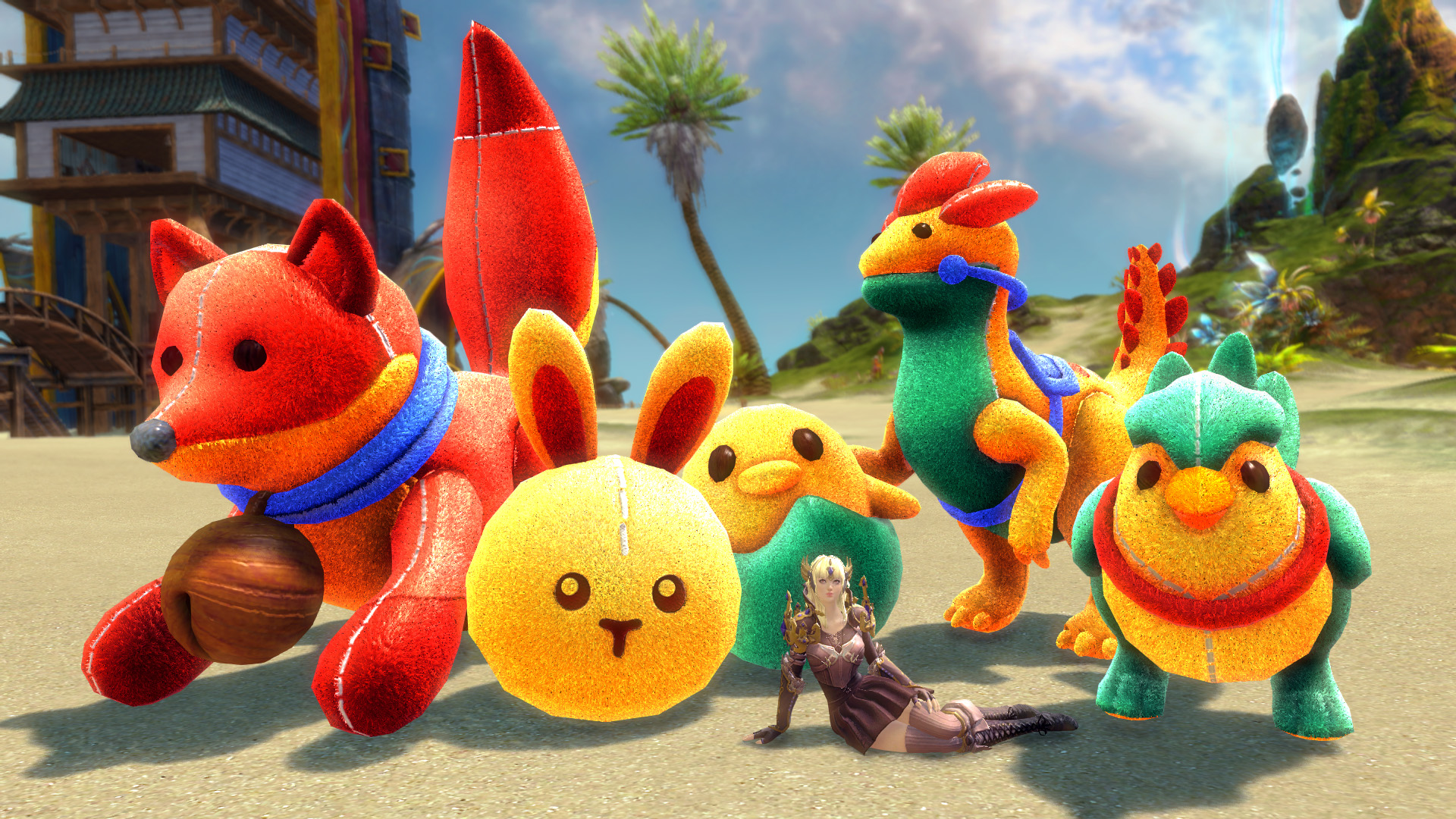
Absolute squishy adorableness is coming back with a cuddly vengeance! The sequel to our original Plush Pals Homestead Package includes new friends with all the cuteness you need for the year. The Plush Pals 2 Homestead Package includes one of each decoration and will unlock crafting recipes for all the items. This pack is available for 800 gems and contains the following decorative pieces:
- Plush Chick Pal
- Plush Vulpine Pal
- Plush Cuckoo Pal
- Plush Raptor Pal
- Plush Bunny Pal
Black Lion Chest Update: Vermilion Crane Chest
Inside each chest, you’re guaranteed to find a redeemable Black Lion Statuette, a Fine Black Lion Dye Canister—Red, and two common items. You also have a chance to find something rarer in the fifth slot, including special items, glyphs, and skins from the Red Crane Weapon Collection and the Void Corrupted Weapon Collection.
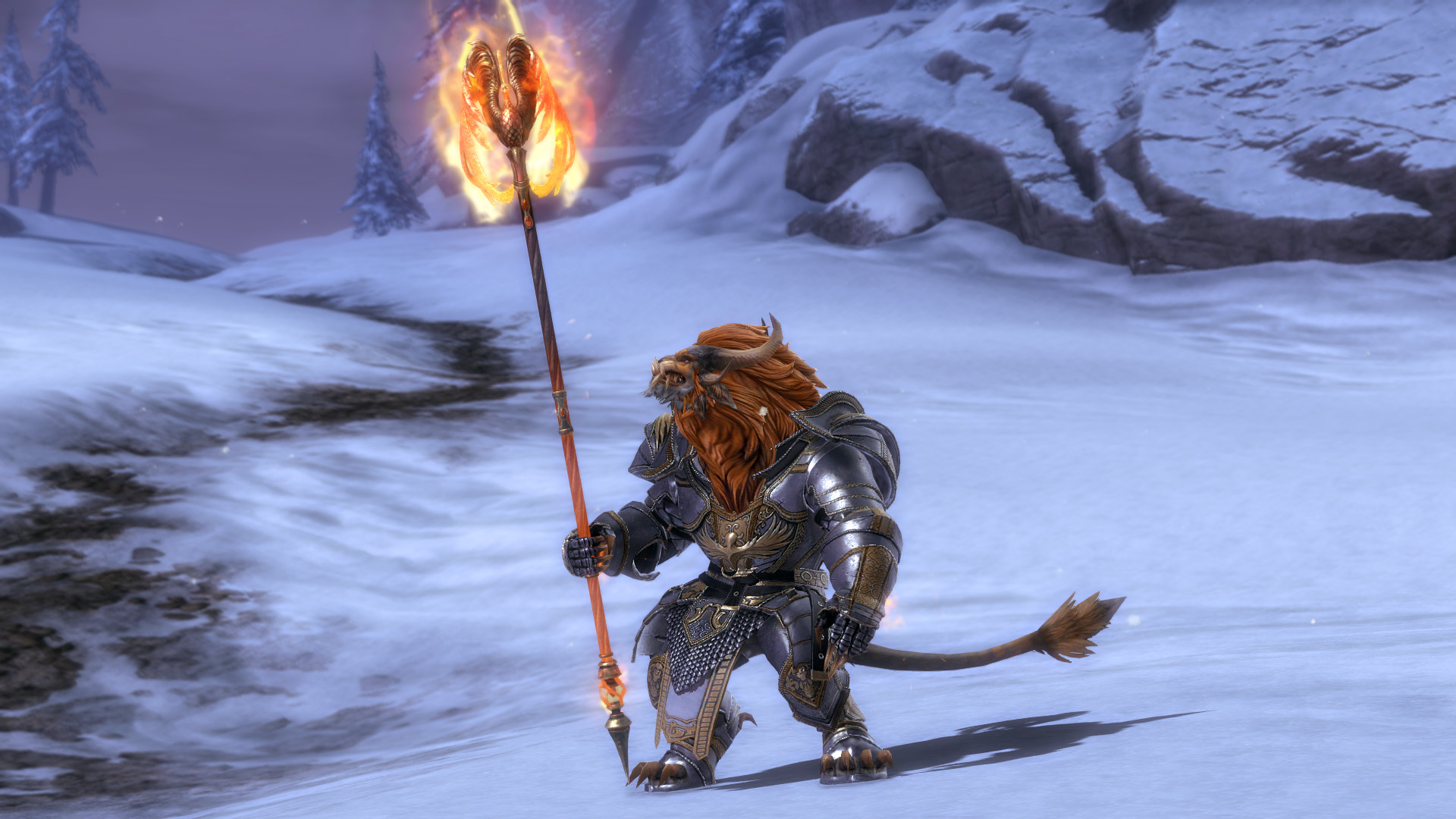
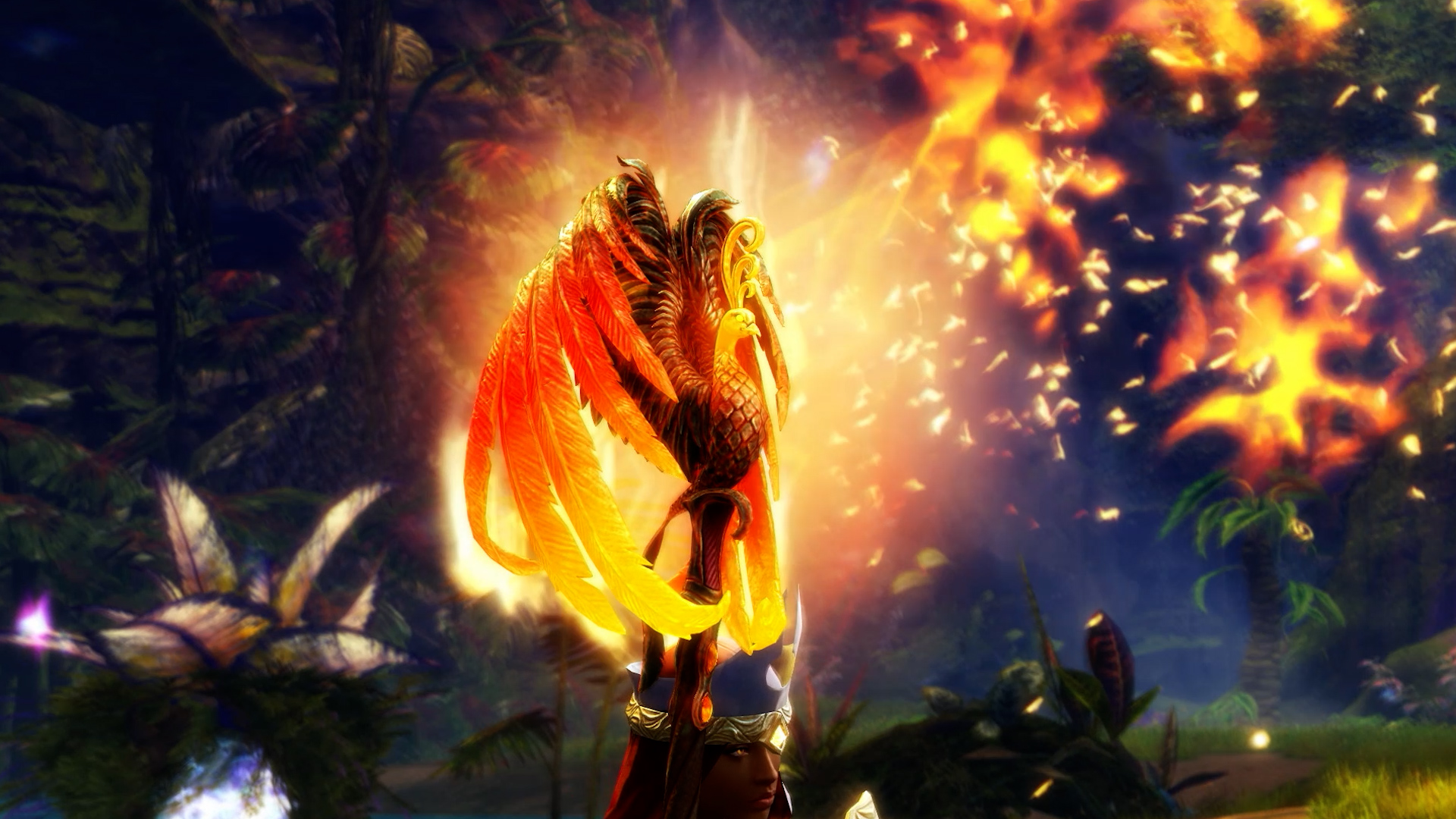
Exclusive Item: Vermilion Staff Skin
The winter’s chill still rages on. Face the freezing wastes with a staff made from pure fire magic—a phoenix’s heart beats in this blazing weapon. The Vermilion Staff Skin is a new, exclusive drop from Black Lion Chests.
What’s in Stock
On Friday, January 16, we are restocking our back slot items at a 20% discount until January 30! Make sure to check out some of our favorite items: Villainous Cape and Hood Combo, Ice Reaver Cape, Winter Monarch Cape, Defiant Glass Backpack Skin, Glittering Wings Backpack, and Magical Cape.
Returning This Week
Journey into Tyria’s endless stories and discover all its secrets with our weekly discounts. From today until January 20, Black Lion Instant Level 80 Tickets and all Living World seasons and episodes are available at a 20% discount.
Available Now in the Gem Store!
Log into Guild Wars 2 and press ‘O’ to access the Black Lion Trading Company for these great offers and more!
GuildWars2.com







 g...
g...